Features
Everything you need to look after your whole Mac
From one-tap Smart Scan to developer junk, space visualization, and real-time monitoring — this is everything Xico Clean can do.
Smart Scan
One tap, and your whole Mac feels new
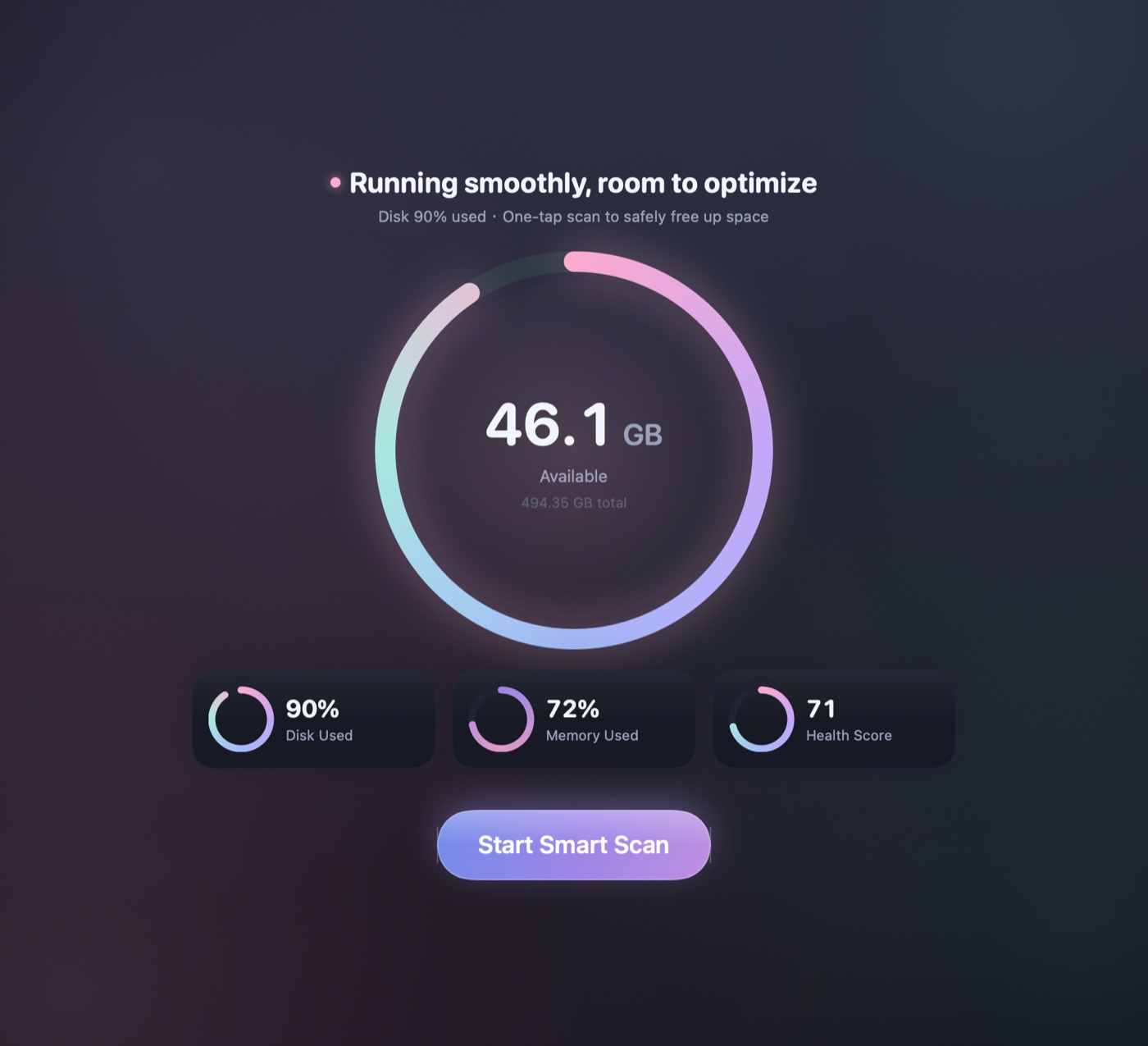
System junk, privacy traces, and performance issues, cleared in a single pass. After the signature scan animation, you get a clear overview card — how much you can reclaim and what we found. Only 100% safe items are checked by default, and you can review every one.
Space Lens
See your disk — and where the space went, at a glance
Turn your entire SSD into an interactive treemap, so it's obvious what's taking up room. Drill down to a specific folder, then reveal it in Finder or move it to the Trash right there.
Developer Junk
Reclaim tens of gigabytes — made for developers
Xcode's DerivedData, DeviceSupport, Archives, and old simulators, plus node_modules, Homebrew / npm / pip caches, and dangling Docker images — the developer junk that quietly eats tens of gigabytes, all found in one pass.
Duplicates & Similar
Duplicate files and near-identical photos — keep only the best
Content-level hashing finds duplicates precisely and recognizes APFS clones to avoid false positives, while similar-photo detection uses on-device Vision clustering to help you keep the best shot from a burst. Always local, never uploaded.
Real-time control
Keep an eye on your Mac, right from the menu bar
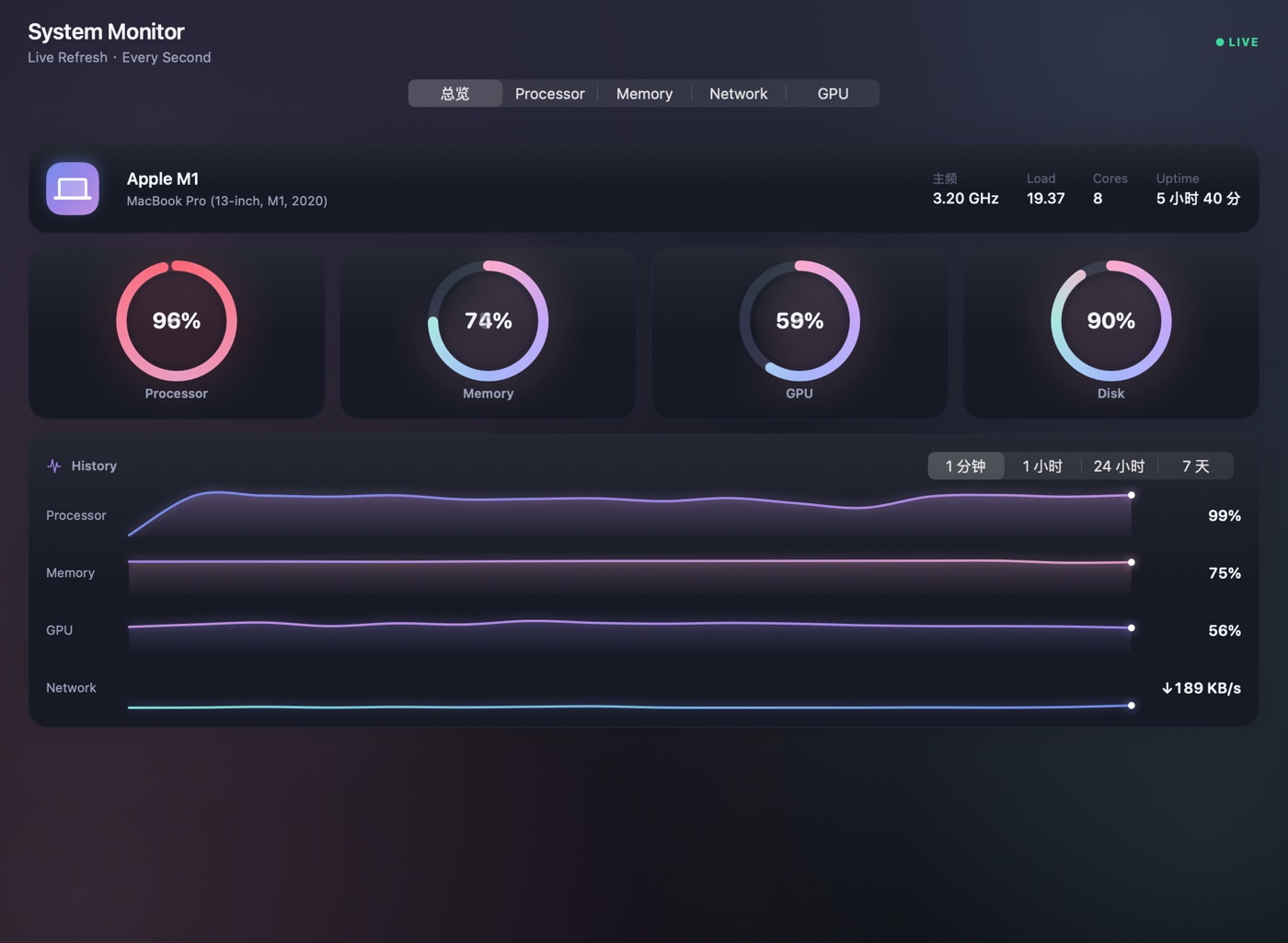
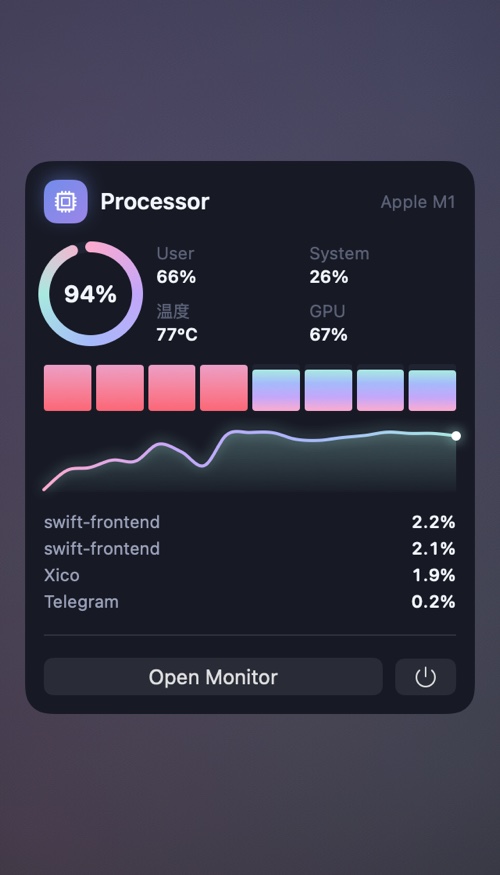
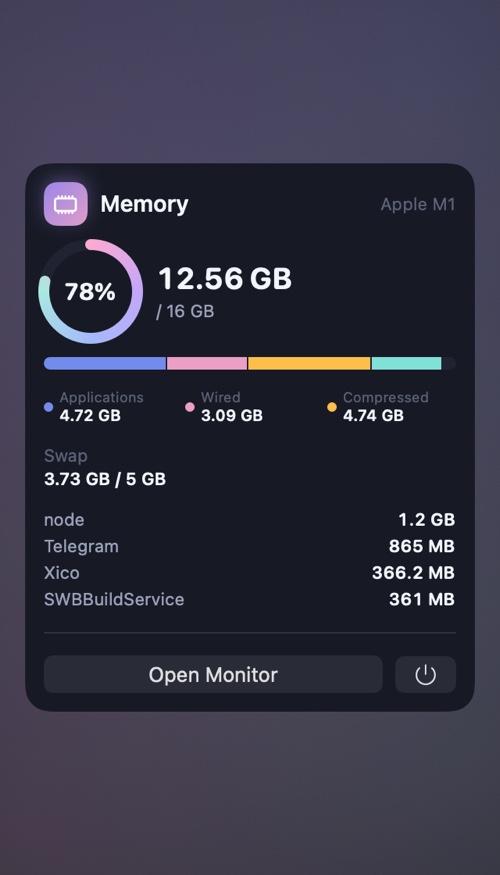
A live monitor that lives in your menu bar: CPU, memory, GPU, disk, network, and temperature at a glance — plus quick memory release and quick cleanup on tap. Native sampling, with barely any overhead.
Menu-bar panels
Hardware & health
Battery, temperature, and drive health — all in view
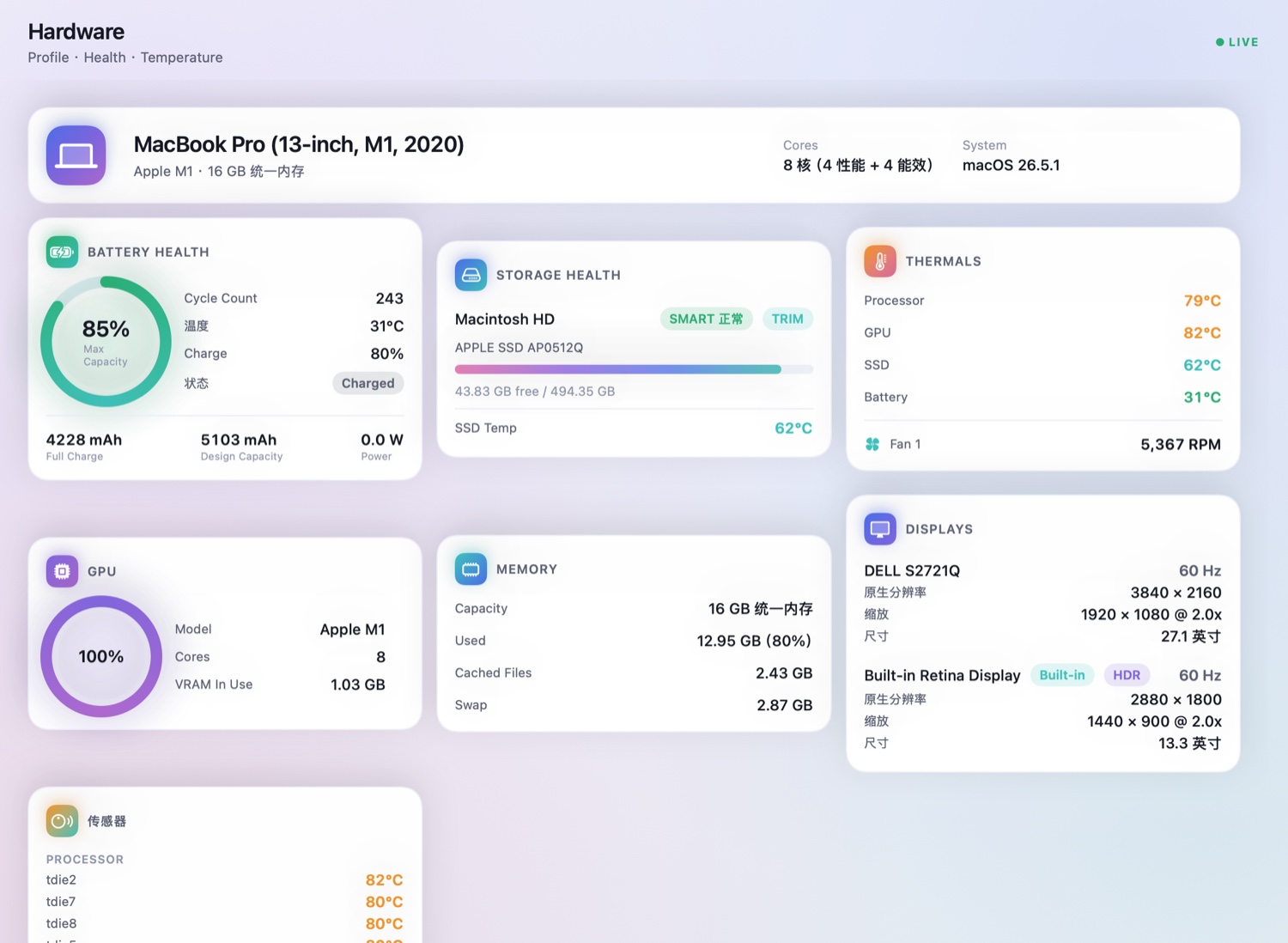
Read battery health and cycle count; CPU, GPU, and SSD temperatures and fan speed; your SSD's SMART status and free space; plus memory and display info — as thorough as the pro tools, only better-looking.
Complete features
One app for every corner of Mac maintenance
From cleanup to app management, from files and space to performance and security — Xico Clean brings everything your Mac needs into one native app.
Cleanup
Scan for system junk, privacy, and performance issues in one pass, with a clear overview and a safe one-click cleanup.
User and system caches, logs, language files, broken login items and preferences, old updates, and app caches.
Clear locally cached mail attachments and downloads — instant inbox slimming.
Clear your photo library's caches and unoptimized copies, leaving your originals untouched.
Remove old iOS backups, firmware and device-support files you no longer need.
Empty the Trash across every volume in one go.
Xcode DerivedData, simulators, node_modules, Homebrew / npm / pip caches and dangling Docker images.
Applications
Remove apps completely — along with their caches, preferences, containers, login items, and receipts.
Find orphaned files left behind by apps you've already deleted.
Spot available updates for your installed apps, all in one place.
Return an app to its just-installed state: wipe its data, keep the app.
Files & space
A whole-disk treemap you can drill into, so you can pinpoint exactly what's taking up room.
Filter by size and last-accessed date to surface the big items worth clearing.
Content-level deduplication that recognizes APFS clones to avoid false positives, and smartly keeps one copy.
On-device Vision clustering keeps the best shot from your bursts and near-identical photos.
Tidy up your Downloads folder, desktop clutter, and old installers (.dmg / .pkg).
Performance & security
Manage login items and launch agents, spot heavy background processes, and free up memory.
Run system maintenance scripts, rebuild the Spotlight index, flush DNS and repair disk permissions.
Clear history, cookies, caches, and recent items across Safari, Chrome, Firefox, Edge, and Arc.
Scan for known macOS adware and malicious components using a signed definitions library, and remove them on detection.
Lives in the menu bar with live CPU, memory, disk, network, and battery stats, plus quick memory release and cleanup.
Native performance
Built in native Swift — so fast you'll barely notice it
We flatly refuse to use Electron. Xico Clean is thoroughly native and built for Apple silicon — fast to scan, light on resources, smooth in motion.
Early access
Xico Clean is coming soon
Leave your email and we'll tell you the moment it launches — plus an early-bird price just for the waitlist.